Plugin Map Title Effects RMMV
A downloadable asset pack
KAS Map Title Effects MV
KAS Map Title Effects MV is a cinematic location and chapter title system created exclusively for RPG Maker MV.
Replace the standard RPG Maker MV map-name window with large animated titles, atmospheric particles, optional subtitles and sound effects.
Perfect for displaying locations, regions, chapters, eras, battles, factions, dungeons, story transitions and major events.
12 Animated Visual Styles
The plugin includes 12 ready-to-use presets, each with its own animation and particle behavior:
- Classic – simple and clean RPG-style title
- Medieval – fantasy / dungeon atmosphere
- Blood – dark blood-red presentation with falling blood particles
- Military – tactical scan and military interface style
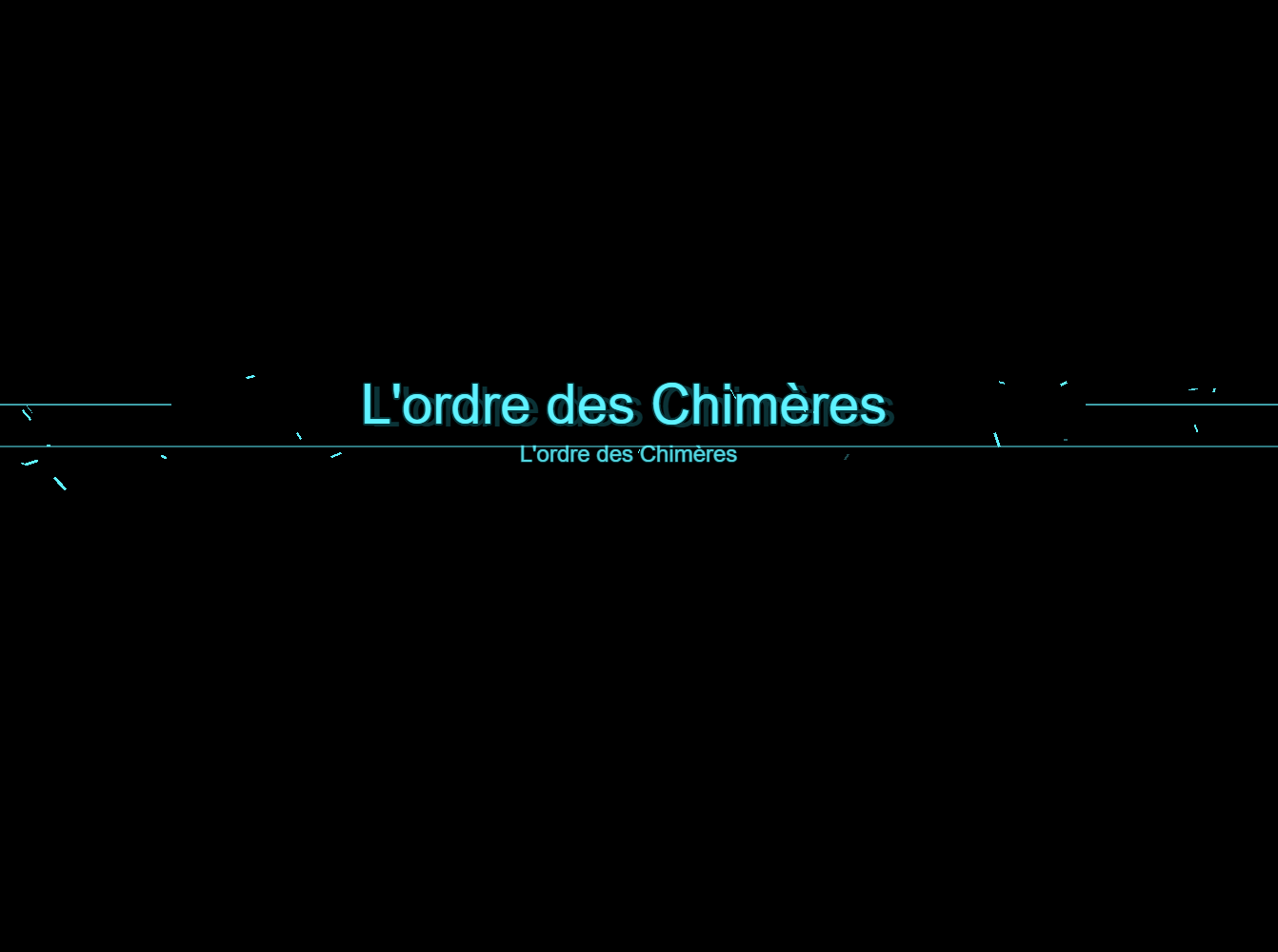
- Futuristic – digital glitch and scanning effects
- Nature – organic movement and nature particles
- Pirate – old parchment / adventure atmosphere
- Toxic – green toxic contamination effect
- Red Contamination – red military contamination / war style
- Darkness – purple shadows and dark-energy effects
- Fire – flames, embers and volcanic atmosphere
- Snow – snowflakes and frozen environmental effects
All visual effects are generated directly by the plugin.
No external graphic files are required.
Automatic Map Titles
The plugin can automatically use the RPG Maker MV Display Name of the current map.
Simply add a style inside the map's Note field:
<MapTitleStyle: Blood>
When the player enters the map, the Display Name appears automatically using the selected cinematic animation.
Example:
Display Name: Castle of Chimera
Map Note:
<MapTitleStyle: Blood>
Subtitles
You can add a second line below the main title:
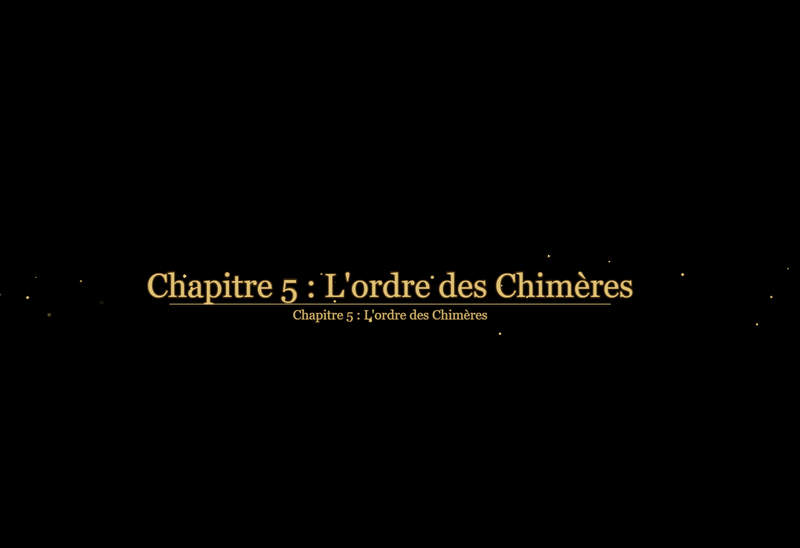
<MapTitleStyle: Blood> <MapTitleSubtitle: Chapter 5 : The Order of Chimera>
You can also customize its size:
<MapTitleSubtitleSize: 28>
An alternate subtitle tag is also supported:
<MapSubtitle: Chapter 5>
This makes the system useful not only for location names, but also for chapters, dates, regions, missions and narrative information.
Custom Map Titles
You are not forced to use the map Display Name.
A custom title can be defined directly in the map Notes:
<MapTitle: THE RED WAR> <MapTitleStyle: RedContamination> <MapTitleSubtitle: Europe - 1986>
Per-Map Customization
Each map can individually override the default visual settings:
<MapTitleStyle: Fire> <MapTitleSize: 90> <MapTitleColor: #FFFFFF> <MapTitleY: 420> <MapTitleDuration: 240>
Available map options include:
- Style
- Custom title
- Subtitle
- Subtitle size
- Main title size
- Text color
- Vertical position
- Display duration
You can also completely disable the cinematic title on a specific map:
<MapTitleOff>
Manual Cinematic Titles
The system can also be triggered manually through RPG Maker MV Plugin Commands.
This allows the effects to be used during cutscenes, introductions, boss encounters, chapter transitions or important story events.
Example:
KASMapTitle Show "THE RED WAR" RedContamination
With a subtitle:
KASMapTitle Show "THE RED WAR" RedContamination "Europe - 1986"
You can also force the current title to disappear:
KASMapTitle Hide
Temporary Overrides
Manual titles can temporarily override some settings:
KASMapTitle Size 96 KASMapTitle Color #FF4040 KASMapTitle Y 420 KASMapTitle Duration 240
Reset them with:
KASMapTitle Reset
Sound Effects
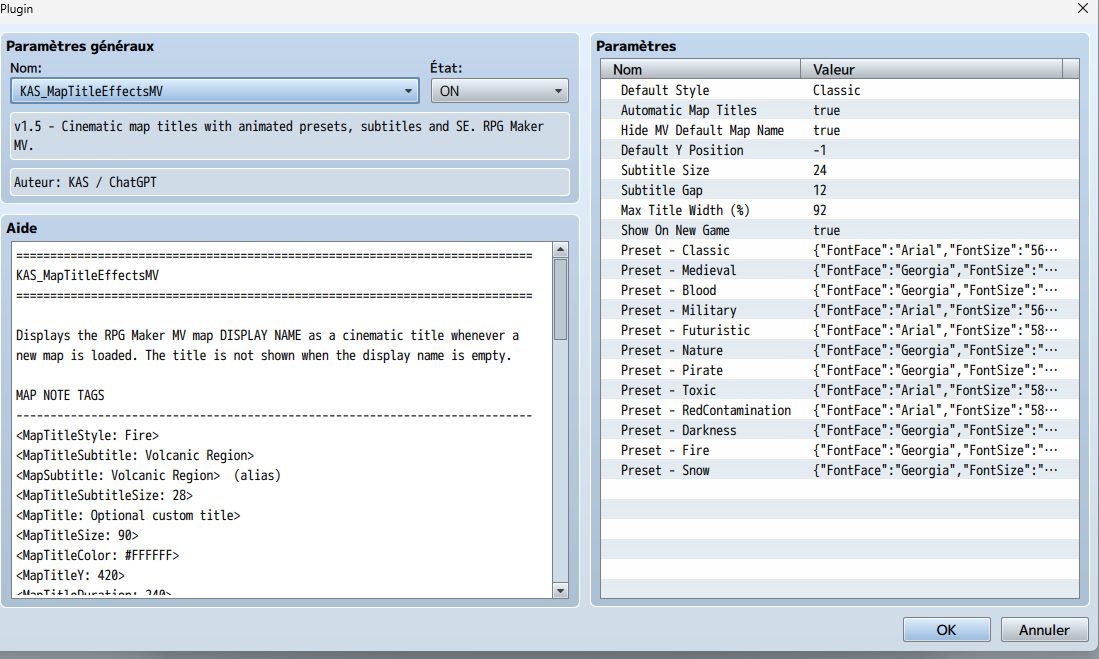
Every visual preset can have its own Sound Effect configured directly inside the RPG Maker MV Plugin Manager.
For each style you can customize:
- SE file
- Volume
- Pitch
- Pan
For example, you can use a radio beep for Military, wind for Snow, fire sounds for Fire, or an ominous effect for Darkness.
Leaving the SE field empty disables sound for that preset.
Preset Customization
Each of the 12 presets can be customized directly from the Plugin Manager:
- Font
- Font size
- Text color
- Outline color
- Outline width
- Display duration
- Appearance duration
- Disappearance duration
- Particle amount
- Sound Effect
- SE volume
- SE pitch
- SE pan
This allows the included presets to be adapted to the visual identity of your own game.
Additional Features
- Automatic titles when entering maps
- Optional subtitles
- Custom map titles
- Manual cinematic titles
- Animated appearance and disappearance
- Particle effects
- 12 environmental and thematic presets
- Per-map customization
- Configurable Sound Effects
- Automatic vertical centering
- Optional hiding of RPG Maker MV's original map-name window
- Persistent overlay designed to remain above map events, pictures, messages and most HUD elements
- No external graphics required
Compatibility
RPG Maker MV only.
The plugin is designed specifically for RPG Maker MV and uses the PIXI renderer included with the engine.
If you enjoy this plugin and find it useful, feel free to leave a rating and follow my account!
It really helps and encourages me to keep sharing new plugins and supporting the RPG Maker community.
Happy making!
Download
Click download now to get access to the following files:
Leave a comment
Log in with itch.io to leave a comment.